README
IC
IC, for Interactive Crystal, is an REPL interface for Crystal Interpreter.
It allows to quickly try and test some crystal code, or debug your code thanks to crystal pry.
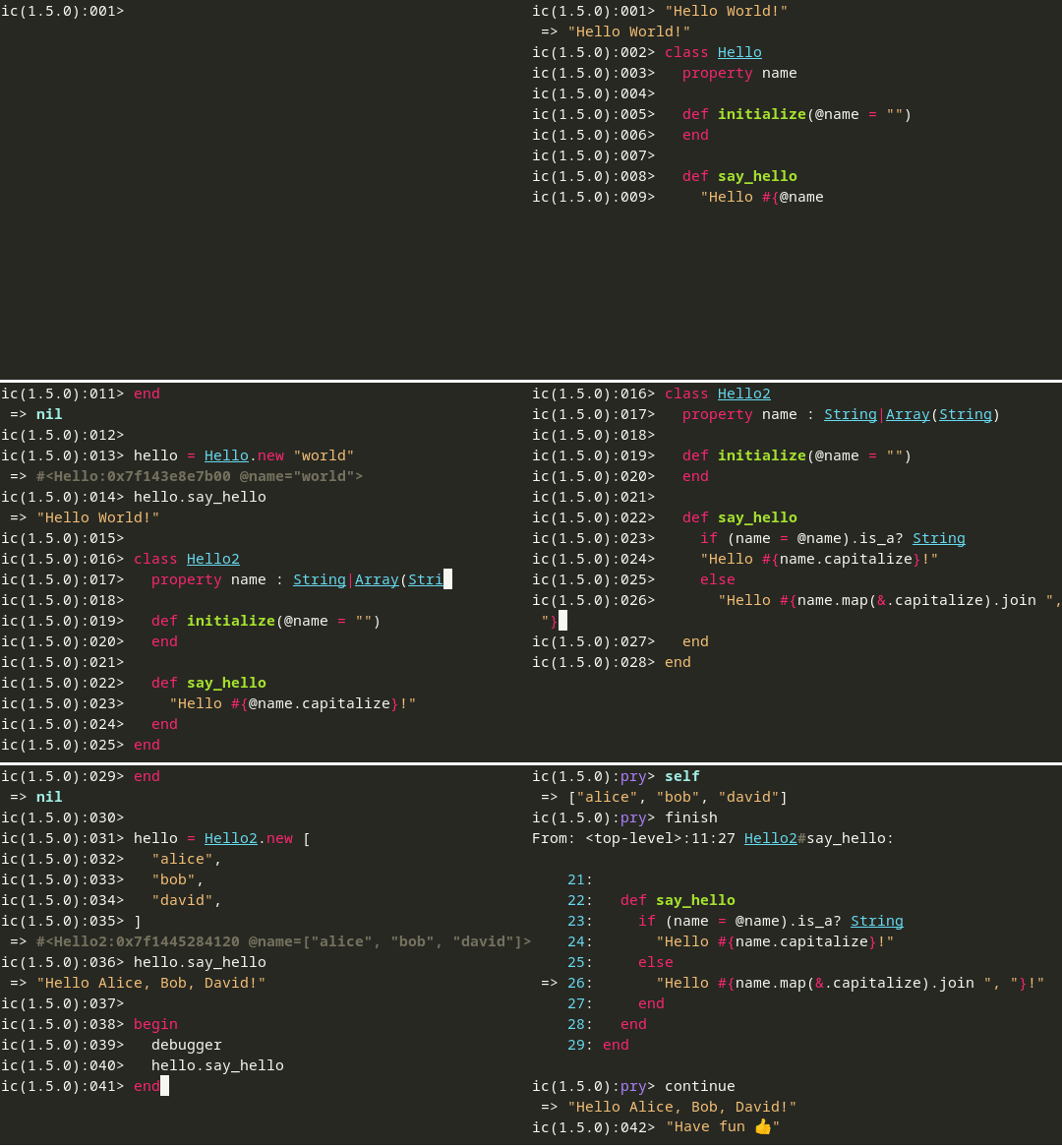
Features
- Crystal Interpretation (Indeed!)
- Syntax highlighting
- Multiline input
- Auto formatting
- Auto indentation
- Auto completion (Experimental)
- Code documentation
- History
- Pasting of large expressions
- Debugger
Warning
The Crystal interpreter is experimental and not yet released, some issue can still occur while interpreting.
Installation
Dependencies
You need to install the same dependencies as the crystal compiler, follow the instructions here. If you have already installed crystal from source, you can skip this step.
Build
git clone https://github.com/I3oris/ic.git
cd ic

make
# => bin/ic
Optimized Build
make releaseThis is a bit long, and require at least 4.5 GB of available RAM.
Install
Install IC at /usr/local/
sudo make installAs a Shard
Add this to your shard.yml file:
development_dependencies:
  ic:
    github: I3oris/ic
And run shards install
Usage
Interactive mode
icRun file with arguments
# say_hello.cr

name = ARGV[0]?
puts "Hello #{name}!"
ic say_hello.cr WorldDebugger (pry)
On a file use the macro debugger:
# say_hello.cr

debugger # <= will start the debugger at this point
name = ARGV[0]?
puts "Hello #{name}!"
Then, just run IC: ic say_hello.cr World.
You will see the current position on your code:
    1: # say_hello.cr
    2:
    3: debugger # <= will start the debugger at this point
 => 4: name = ARGV[0]?
    5: puts "Hello #{name}!"
    6:
On the pry prompt you can type:
next: To jump to the next instruction (without entering into functions).step: To jump to the next instruction (entering into functions if possible).finish: To jump out of the current function.whereami: To re-display where the execution is.- Other : To interpret code while debugging (e.g. the name of a variable).
Hotkeys
alt-enter(ctrl-enteron Windows): Insert a new line character instead of submit edition.ctrl-c: Keyboard Interruption.ctrl-d: Delete char or exit (EOF).ctrl-a/home: Move cursor to begin.ctrl-e/end: Move cursor to end.ctrl-k: Delete after cursor.ctrl-u: Delete before cursor.alt-backspace/ctrl-backspace: Delete word afteralt-d/ctrl-delete: Delete word before.alt-f/ctrl-right: Move word forward.alt-b/ctrl-left: Move word backward.ctrl-up/down: On long multiline input: scroll up/down the view.ctrl-n/ctrl-p: Move cursor up/down.ctrl-b/ctrl-f: Move cursor backward/forward.
Only on debugger (pry):
ctrl-up:whereamictrl-down:nextctrl-left:finishctrl-right:step
History
History is saved in <home>/.ic_history and is limited to 10_000 entries. It can be changed with environment variables IC_HISTORY_FILE and IC_HISTORY_SIZE. Use IC_HISTORY_FILE="" to disable saving history in a file.
Commands
You can type the following commands:
# clear_history: Clear history.# reset: Reset the interpreter (clean all definitions, variables, constants, ...)
Contributing:
- Fork it (https://github.com/I3oris/ic/fork)
- Create your feature branch (
git checkout -b my-new-feature) - Commit your changes (
git commit -am 'Add some feature') - Push to the branch (
git push origin my-new-feature) - Create a new Pull Request
Contributors
- I3oris - creator and maintainer