README
This README is the one indexed from the repository at its latest ref, not from the tag for this version.

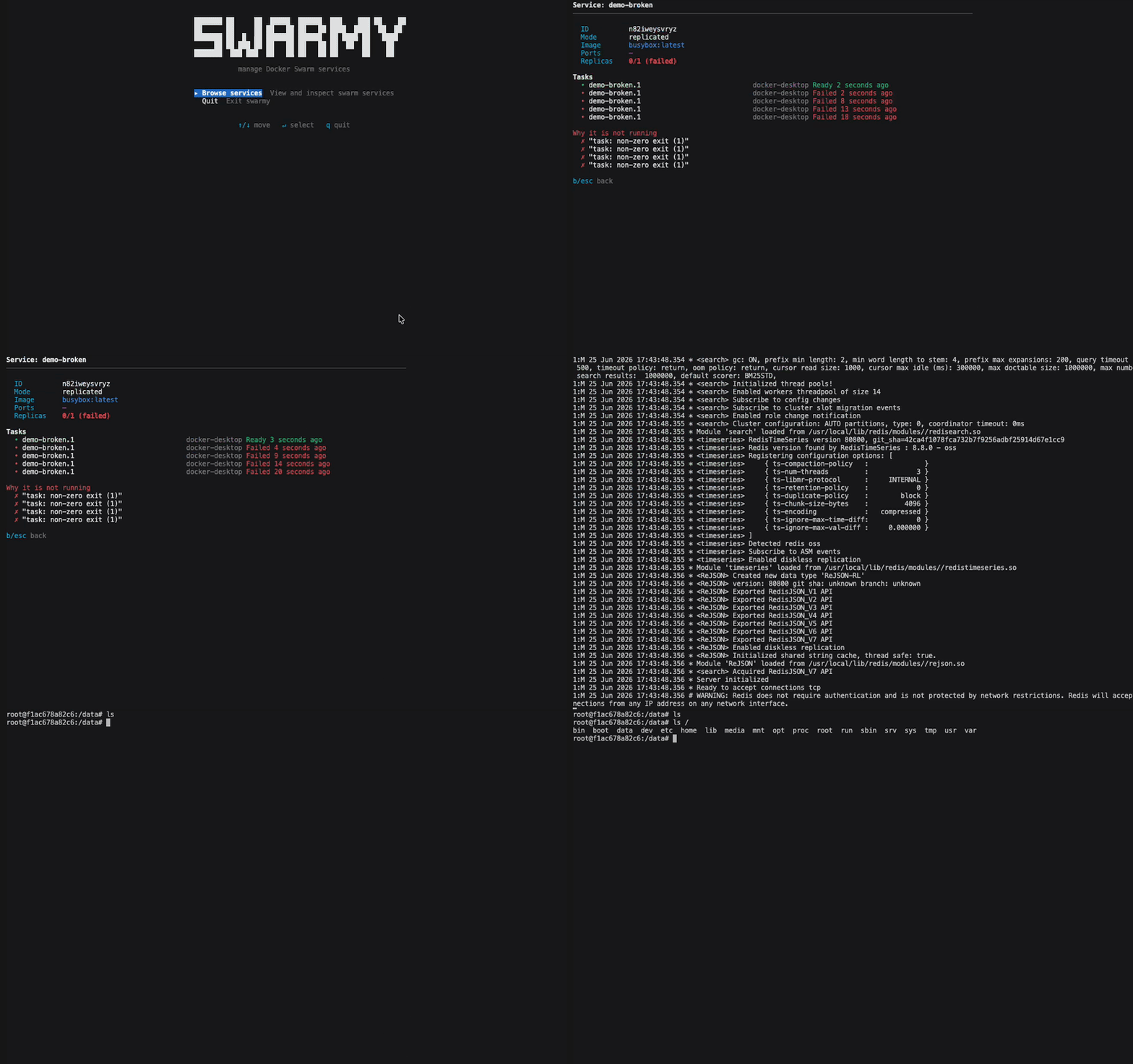
swarmy is a command-line tool (Terminal UI) that allows you to manage Docker swarm services and containers easily.
Installation
Homebrew
brew install alexcastrodev/swarmy/swarmyScript
curl -sSL https://raw.githubusercontent.com/alexcastrodev/swarmy/main/install.sh | bashUsage
swarmy- Show all service
- You see the services with their name, replicas, image, and ports.
- You can enter the service name to see more details about it.
- You can see why a service is not running in details.
- You can also filter the services by name using the
--filteroption.
Remote servers
swarmy can manage a Docker Swarm running on a remote machine over SSH,
without needing any SSH client of its own — it just points the docker CLI
at ssh://user@host and lets your system's SSH handle the connection.
One-off usage
swarmy --host 10.0.0.5 --user deploy
swarmy --host staging.example.com --user root --port 2222
Saved servers
List named servers in ~/.config/swarmy/servers.yml:
servers:
  - name: prod-eu
    host: 10.0.0.5
    user: deploy
  - name: staging
    host: staging.example.com
    user: root
    port: 2222
Then either pick one from the welcome screen's "Select server" menu, or jump straight to it:
swarmy --server prod-euList your saved servers at any time:
swarmy serversOr save a one-off --host connection as a named server instead of editing
the YAML by hand:
swarmy --host 10.0.0.5 --user deploy --save prod-eu
swarmy --host 10.0.0.5 --save            # name defaults to the host
Authentication
- SSH key: load it into your
ssh-agentbefore running swarmy (ssh-add ~/.ssh/id_ed25519) — any key in the agent is used automatically. - Password auth is not supported. Docker's
ssh://transport streams its protocol over stdin/stdout from the first packet, so there is no channel left for an interactive password prompt — this is a limitation of the Docker CLI itself, not swarmy. Set up key-based auth on the remote host instead (e.g.ssh-copy-id user@host).
Update
Reinstall the latest version by re-running the install script:
swarmy updateRelease
$ make installDebug
$ make runAPI docs
Generate browsable API docs (RubyDoc-style) from the source comments:
$ make docsThis writes static HTML to docs/ (gitignored) — open docs/index.html.