README
Docr
docr is a tool for searching Crystal API and shards documentation from the command line.
Installation
See the releases page for available binaries.
From Source
Go 1.19 or above is required to build Docr.
git clone https://github.com/devnote-dev/docr
cd docr
go get

scripts/build.cmd # for windows
scripts/build.sh # for linux/darwin
Usage
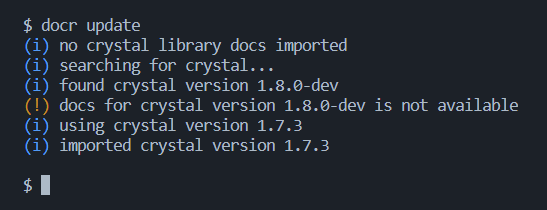
By default, Docr comes with no libraries, but you can easily import the standard library documentation using docr update. This command will search for the crystal executable on your system and import that version of the API documentation. If the executable isn't found, it defaults to the latest available Crystal release. If you want to import the standard library directly or a specific version, you can do so with the docr add crystal <version> command (also accepts "latest" as a version).
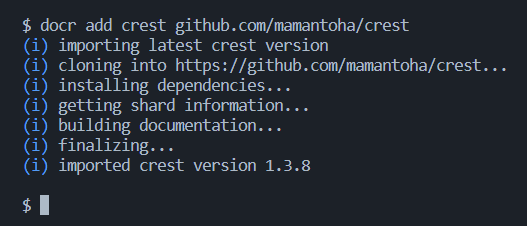
You can also import third-party libraries (or shards) using the docr add command:
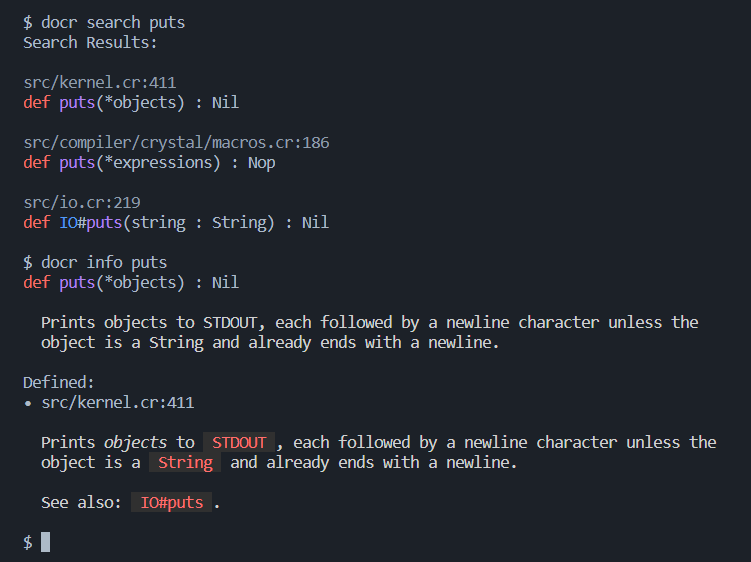
After importing the libraries you want, you can simply lookup or search whatever you want! Use the docr search command to search for all types and symbols matching the query, and the docr info command to get direct information about a specified type or symbol:
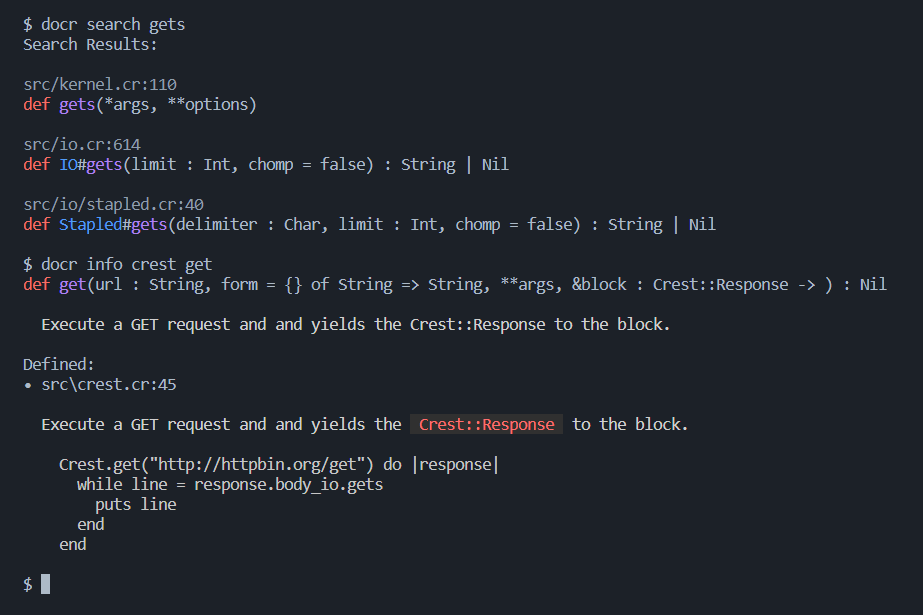
Both the info and search commands support Crystal path syntax for queries, meaning the following commands are valid:
docr info JSON::Any.as_sdocr info JSON::Any#as_sdocr info JSON::Any as_s
However, the following commands are not valid:
docr info JSON Any as_sdocr info JSON Any.as_sdocr info JSON Any#as_s
This is because the first argument is parsed as the base type or namespace to look in, and the second argument is parsed as the symbol to look for. In the first example, JSON::Any is the namespace and as_s the symbol, whereas in the second example, JSON is the namespace and Any as_s is the symbol, which is invalid. This doesn't mean you have to specify the namespace of a symbol, Docr can determine whether an argument is a type/namespace or symbol and handle it accordingly.
Contributing
- Fork it (https://github.com/devnote-dev/docr/fork)
- Create your feature branch (
git checkout -b my-new-feature) - Commit your changes (
git commit -am 'Add some feature') - Push to the branch (
git push origin my-new-feature) - Create a new Pull Request
Contributors
- Devonte W - creator and maintainer
This repository is managed under the Mozilla Public License v2.
© 2023 devnote-dev