awesome_print
Version, currently 0.1.183 versions
- 0.1.18latestOct 28, 2019
- 0.1.17not indexedOct 28, 2019
- 0.1.15not indexedOct 28, 2019
github.com/evandrojr/awesome_print.cr
It dreams about becoming ruby's awesome_print for crystal-lang, under light development.
13 stars
0 dependents
License: MIT
Installation
# Add this to your shard.yml
dependencies:
  awesome_print:
    github: evandrojr/awesome_print.cr
    version: ~> 0.1.18
Then run:
shards installshard.yml
- Crystal
0.31.1- License
- MIT
- Author
- Evandro Junior <evandrojr@gmail.com>
Dependencies
This version declares no dependencies.
README
[](https://travis-ci.org/evandrojr/awesome_print.cr)
# awesome_print
It dreams about becoming [awesome_print](https://github.com/awesome-print/awesome_print) for crystal-lang.
```
ap some_var
```
## Benchmark
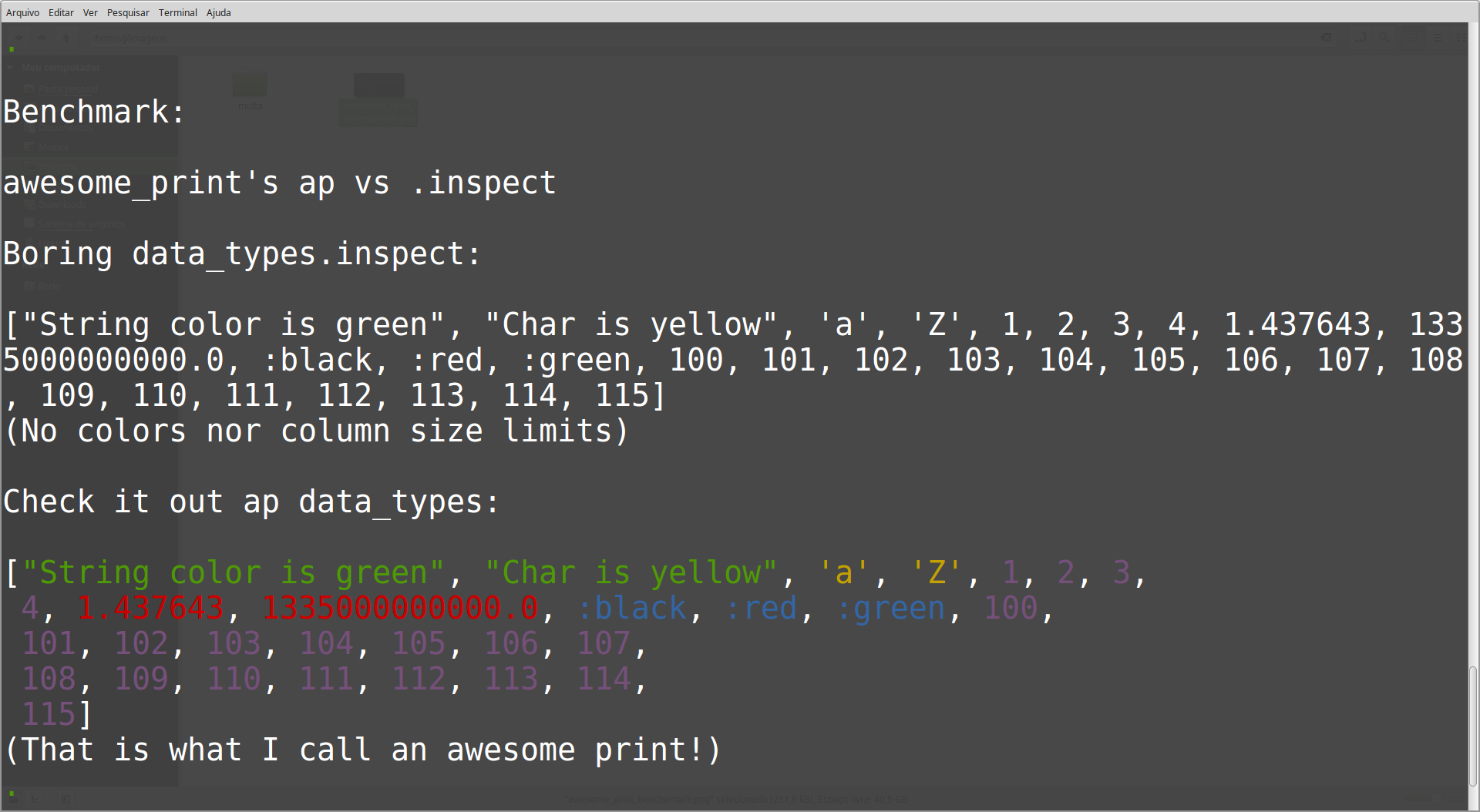
It supports Integers, Floats, String, Char, Array, Range, Symbol and Hash.
Formated array example:
```
ap [100, 101, 102, 103, 104, 105, 106, 107, 108, 109, 110, 111, 112, 113, 114, 115]
(output)
[100, 101, 102, 103, 104, 105, 106,
107, 108, 109, 110, 111, 112, 113,
114, 115]
```
2018-05-10: Added colors for some data types and support for Symbol
## Installation
Add this to your application's `shard.yml`:
```yaml
dependencies:
awesome_print:
github: evandrojr/awesome_print.cr
```
## Usage
```crystal
require "awesome_print"
```
To check the content of a variable use:
```
ap some_var
```
## Contributing
1. Fork it ( https://github.com/evandrojr/awesome_print.cr/fork )
2. Create your feature branch (git checkout -b my-new-feature)
3. Commit your changes (git commit -am 'Add some feature')
4. Push to the branch (git push origin my-new-feature)
5. Create a new Pull Request
## Contributors
- [evandrojr](https://github.com/evandrojr) Evandro Junior - creator, maintainer
- [hugoabonizio](https://github.com/hugoabonizio) Hugo Abonizio - developer, major helper in quality assurance
Documentation
Built from the current release. The first visit to a release nobody has asked for starts its build.
Links
This release
- Version
0.1.18- Tagged
- Oct 28, 2019
- Commit
d0cfff39ef54- Crystal
0.31.1- Indexed
- yes
Dependents
No indexed shard depends on this one yet.
Repository
github.com/evandrojr/awesome_print.cr
Metadata
- Created
- Aug 12, 2026
- Updated
- Aug 12, 2026
- Synced
- Aug 12, 2026
- Versions
- 3