README
XSSMaze is an intentionally vulnerable web application for measuring and improving XSS detection in security testing tools. It serves 1000+ endpoints across 170+ categories — reflected, DOM, stored, and header/path/body injection, plus filter and WAF bypasses, CSP gadgets, prototype pollution, template injection, and modern DOM sink/source shapes that defeat naive taint analysis.
Every endpoint ships structured metadata, so a benchmark can score per vulnerability class instead of regex-guessing at the served HTML.
[!WARNING] This app is deliberately vulnerable. It binds to
127.0.0.1by default — only pass-b 0.0.0.0on a network you trust.
Install
docker run -p 3000:3000 ghcr.io/hahwul/xssmaze:mainOr from source:
shards install && shards build
./bin/xssmaze
Usage
./bin/xssmaze [options]

  -b, --bind HOST          address to bind             127.0.0.1
  -p, --port PORT          port to listen on           3000
  -s, --ssl                serve over HTTPS
      --ssl-key-file FILE  private key, PEM encoded
      --ssl-cert-file FILE certificate, PEM encoded

  -q, --quiet              do not log requests
      --no-banner          start without the banner
      --no-color           disable ANSI colour

  -v, --version            print the version and exit
  -h, --help               print this help and exit
Colour is dropped automatically when the output is not a terminal, and
NO_COLOR is honoured.
Endpoint map
| Endpoint | Returns |
|---|---|
/map/text | newline-separated URLs |
/map/json | full metadata; filter with ?type=, ?q=, ?vuln=, ?reach=, ?exploitable= |
/map/markdown | markdown table |
/map/categories | categories with counts + class/reach rollups |
/map/openapi | OpenAPI 3.0 catalog |
/sitemap.xml | sitemap of all maze paths |
/stats | aggregate counts by class, reach, source, and sink |
/health | liveness probe (/healthz alias) |
/version | version + counts |
/random | 302 to a random maze |
/solutions.json | the answer key: expected payload + injection context per maze |
/solutions/<category> | that category's exploit guide as markdown |
/beacon/<token> | execution oracle — a 1x1 GIF that records that a payload ran |
/beacon/log | what fired, how often, and from which maze page |
/reset | stored-maze state: GET reports sizes, POST clears |
curl "http://localhost:3000/map/json?vuln=dom"           # only DOM flows
curl "http://localhost:3000/map/json?reach=server"       # payload fits in an HTTP request
curl "http://localhost:3000/map/json?exploitable=false"  # deliberate true negatives
curl "http://localhost:3000/map/json?with=solutions"     # fold the answer key in
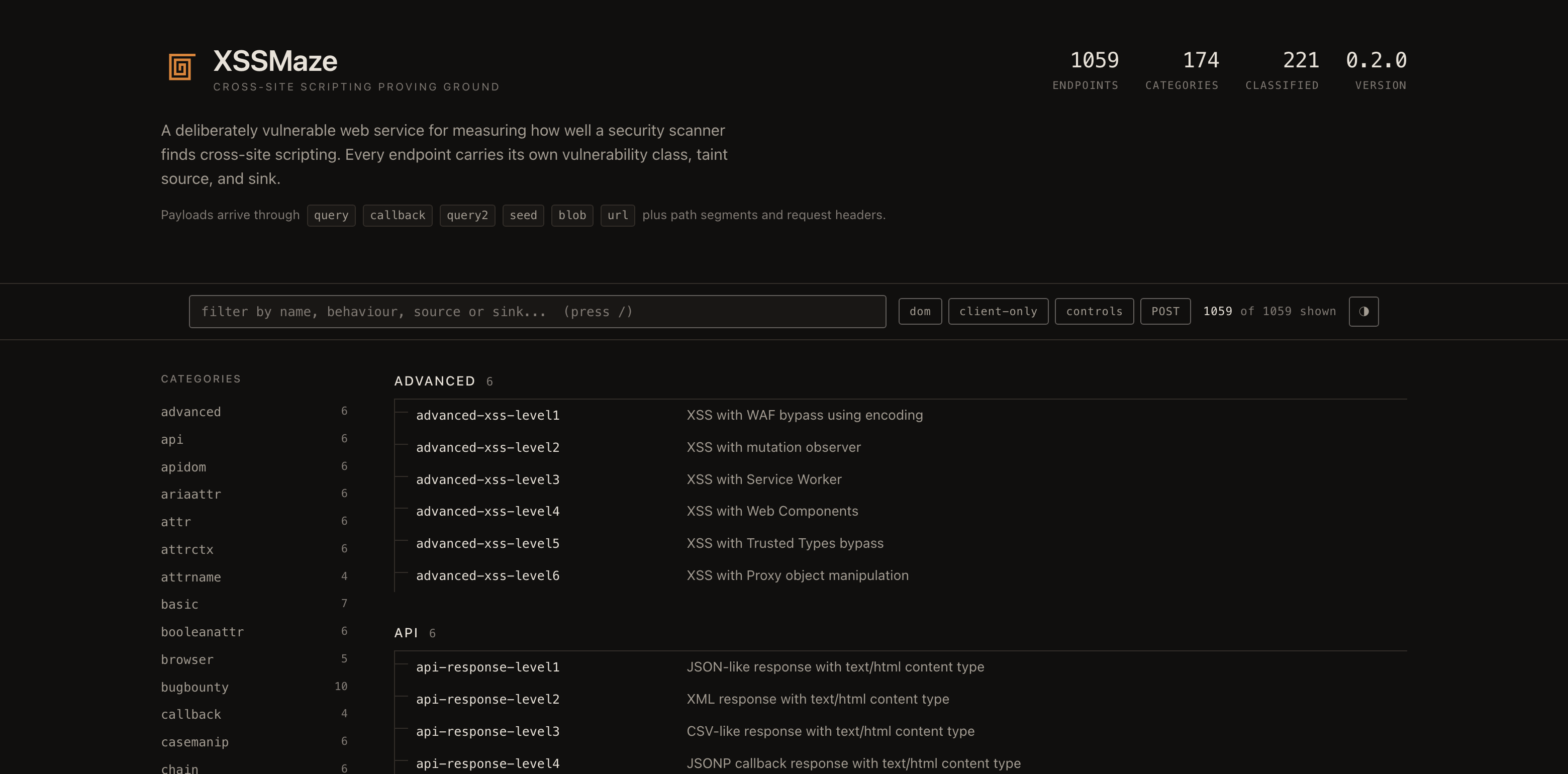
The index page (/) has a client-side filter and links to every map above. Map responses
are built once at startup, cached, and gzip pre-compressed (Accept-Encoding: gzip cuts
the index by ~85%), so they are safe to poll from tooling.
Vulnerability metadata
Every endpoint in /map/json carries a vuln object:
{
  "name": "dom-level7",
  "url": "/dom/level7/",
  "params": ["#hash"],
  "vuln": {
    "class": "dom",
    "reach": "client",
    "delivery": ["fragment"],
    "sources": ["location.hash"],
    "sinks": ["innerHTML"],
    "exploitable": true,
    "note": null
  }
}| Field | Meaning |
|---|---|
class | reflected-html, reflected-attr, reflected-js, dom, stored, prototype-pollution, csti, non-xss-control, or unclassified |
sources / sinks | DOM taint endpoints, e.g. location.hash → innerHTML |
delivery | where the payload enters: query, path, body, header, cookie, referer, fragment, postmessage, window-name, … |
reach | derived — server if any delivery channel fits an HTTP request, client if the payload only exists browser-side, unknown if untriaged |
exploitable | false marks a deliberate control / true negative |
note | caveats: required interaction, why it is a control, non-obvious parameter names |
Classification follows the injection context — where the bytes land — not what the
receiving API does with a well-formed argument. A value reflected raw into a JS string
literal is reflected-js however inert the function it is passed to.
Two things this exists to stop a benchmark getting wrong:
reach: "client"endpoints (fragment, postMessage, window.name, clipboard, drag-and-drop) cannot be reached by a request-only scanner at all. Counting them as misses measures the wrong thing.exploitable: falseendpoints are not bugs. The wholexsleakcategory is cross-site leaks, not XSS — a scanner that reports nothing there is correct.
Every endpoint in the catalog is classified — unclassified / reach: "unknown" remain in
the schema for anything added later, deliberately distinct from "reviewed and found safe",
but nothing currently carries them.
Where the question was whether a payload actually executes — CSP levels whose policy turns
out to block the page's own inline script, an entity inside an attribute name, a Location
header — the call was settled in a real browser against the /beacon oracle, not argued from
the served HTML.
Answer key
Every maze ships its expected payload and injection context, so a harness can score what a scanner should have found instead of guessing from the served HTML. The key is embedded in the binary at compile time — the Docker image carries it too — and a spec asserts both directions of parity with the catalog, so it cannot silently drift.
curl "http://localhost:3000/solutions.json"                    # every maze, keyed by name
curl "http://localhost:3000/solutions/basic"                   # one category, as markdown
curl "http://localhost:3000/map/json?with=solutions&type=dom" # composes with every filter"basic-level1": {
"payload": "<script>alert(1)</script>",
"context": "raw reflection, no filter",
"url": "/basic/level1/?query=%3Cscript%3Ealert(1)%3C/script%3E"
}Proving execution
Reflection is not execution. String-matching the response scores a harmlessly-escaped echo as a hit, and it is blind to the DOM flows where the payload never reaches the server response at all. The beacon closes that gap: a payload has to actually run to reach it.
curl "http://localhost:3000/basic/level1/?query=<img src=/beacon/run1 onerror=fetch('/beacon/run1')>"
curl "http://localhost:3000/beacon/log?token=run1"
The recorded Referer names the maze page that executed, so one token can cover a whole sweep
and every hit still attributes to the endpoint that produced it. DELETE /beacon/log clears it
between runs. The beacon is instrumentation, not a maze — it never appears in /map/json,
/stats or a benchmark denominator.
Isolating runs
The stored mazes remember what a scanner posted. Left alone that means a second run reads the
first run's payloads back out and reports them as its own finding. Each collection keeps only
its most recent entries, and /reset clears them between runs:
curl "http://localhost:3000/reset"                        # sizes, read-only
curl -X POST "http://localhost:3000/reset"                # clear everything
curl -X POST "http://localhost:3000/reset?scope=stored/level1"
Security header overrides
To calibrate scanners against different defensive configurations, any endpoint accepts per-request header overrides via query params:
| Param | Sets |
|---|---|
set_csp | Content-Security-Policy (URL-encode spaces/quotes) |
set_xcto | X-Content-Type-Options (e.g. nosniff) |
set_xfo | X-Frame-Options (e.g. DENY) |
curl -i "http://localhost:3000/basic/level1/?query=a&set_csp=default-src%20%27self%27"XS-Leaks
xsleak-* levels are cross-origin side-channels that vary response size, subresource
count, load/error behavior, timing, and redirect depth by a "secret" state. State comes
from either q=admin or the xsleak_role=admin cookie (set via GET /xsleak/login?as=admin).
| Level | Endpoint | Oracle |
|---|---|---|
| 1 | /xsleak/search?q=admin | body size (admin returns more results) |
| 2 | /xsleak/frame?q=admin | frame count |
| 3 | /xsleak/avatar.gif?q=admin | load/error (admin 200, guest 404) |
| 4 | /xsleak/timing?q=admin | timing (guest path sleeps longer) |
| 5 | /xsleak/redirect?q=admin | redirect-chain depth |
These are leaks, not XSS — they are marked exploitable: false and a scanner reporting
nothing here is behaving correctly. Spot the difference from the CLI:
curl -s "http://localhost:3000/xsleak/frame?q=guest" | wc -c
curl -s "http://localhost:3000/xsleak/frame?q=admin" | wc -c
curl -sL -o /dev/null -w "%{time_total}\n" "http://localhost:3000/xsleak/timing?q=admin"
To measure them properly, host a page on a different origin and probe with load/error
handlers, timing, and iframe.contentWindow.length.
Benchmarking scanners
scripts/benchmark.py pulls every endpoint from /map/json, runs a scanner against them,
and scores it against the lab's own metadata — TP / FN / FP with precision, recall and F1.
./bin/xssmaze -b 0.0.0.0          # terminal 1
cd scripts && ./benchmark.sh http://localhost:3000   # terminal 2
The denominator is deliberate. exploitable: false endpoints leave it entirely and a
detection on one is a false positive, never a miss. --reach picks the scored
population — server (default: what a request-only scanner can actually reach), client,
or all — and the populations are never merged into one unlabelled number.
Nuclei is supported out of the box. Any other tool needs an explicit detection contract, because exit code alone never marks a detection:
./benchmark.sh http://localhost:3000 \
  --custom-scanner "mytool {URL}" --detect-regex 'VULNERABLE'
See scripts/README.md for the scoring model, both invocation modes, report formats, and a CI regression gate.
License
MIT