hackerviews

Version, currently master branch1 version
  • master branchlatestAug 31, 2020

github.com/jessefromearth/hackerviews

A social platform inspired by Hacker News written in Crystal using the Kemal framework.

26 stars
0 dependents
License: MIT

Installation

# Add this to your shard.yml
dependencies:
  hackerviews:
    github: jessefromearth/hackerviews
    branch: master

master is a branch, not a release, so this tracks it rather than pinning a version.

Then run:

shards install

shard.yml

Crystal
0.26.1
License
MIT
Author
Jesse Horne <j.horne2796@gmail.com>
Target
  • hackerviews from src/hackerviews.cr

Dependencies

Runtime Dependencies

  • kemal*github: kemalcr/kemal
  • mysql*github: crystal-lang/crystal-mysql
  • dotenv*github: gdotdesign/cr-dotenv
  • granite*github: amberframework/granite
  • micrate*github: juanedi/micrate
  • kemal-flash0.1.0github: neovintage/kemal-flash
  • kemal-session*github: kemalcr/kemal-session

README

# hackerviews

<div style="text-align: center;"><img src="https://raw.githubusercontent.com/jessehorne/hackerviews/master/images/logo_big.png"></div>

[Medium](https://medium.com/@jessehorne/what-i-learned-writing-a-hacker-news-clone-494c8d49a9ae)

---

Hacker Views is a social platform for developers, inspired by [Hacker News](https://news.ycombinator.com/), designed to give more data to users about their posts.
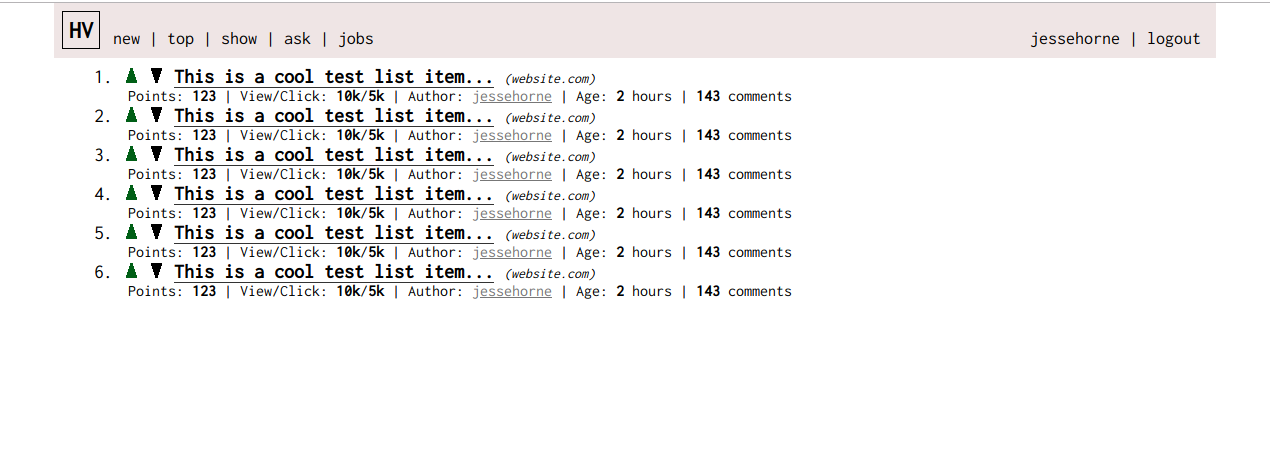
![screenshot](https://raw.githubusercontent.com/jessehorne/hackerviews/master/images/screenshot.png)

---

#### Note
Things will be changing quite a bit. The current version is just a rough prototype. If any sort of community forms, I will set up a Slack and potentially an Email list. For general inspiration on running a community, see [Open Source Guides](https://opensource.guide/).

---

## Installation

1. Install [Crystal](https://crystal-lang.org)
2. Pull the repository
3. Run 'shards install' in the projects root directory
4. Create '.env' in root project directory (see .env.example)
5. Create MySQL Database according to values in '.env'
6. Run './src/micrate up' in root project directory to run migrations
7. Run 'crystal run src/hackerviews.cr' in root project directory
8. Visit 'http://localhost:3000/' in your web browser to make sure things are working!

(better instructions coming soon...)

## Development

1. Get the application running (See Installation)
2. If you find bugs, first create an issue.
3. If you'd like to close tickets or implement your own ideas, see Contributing

## Contributing

1. Fork it (<https://github.com/jessehorne/hackerviews/fork>)
2. Create your feature branch (`git checkout -b my-new-feature`)
3. Commit your changes (`git commit -am 'Add some feature'`)
4. Push to the branch (`git push origin my-new-feature`)
5. Create a new Pull Request


## Contributors

- [jessehorne](https://github.com/jessehorne) JesseH - creator, maintainer