README
torrent_client
A concurrent bit torrent downloader written in Crystal!
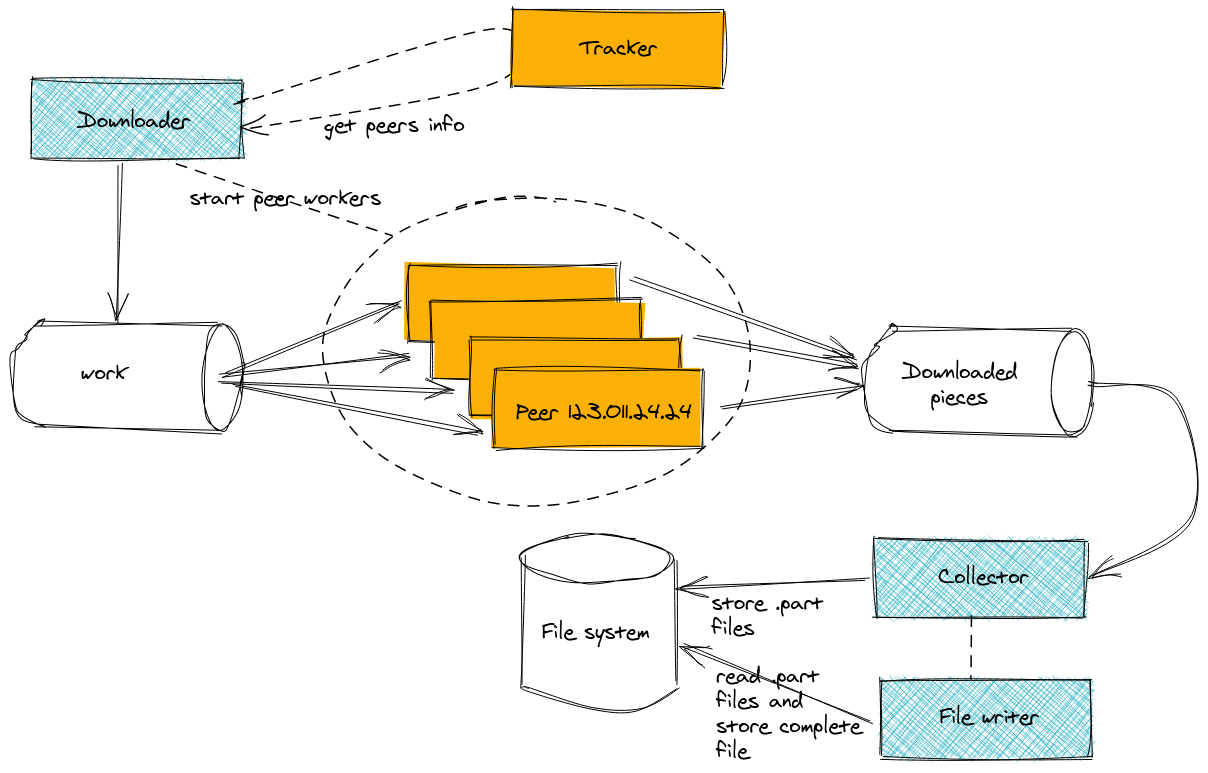
Background and design
This application is a Crystal port of Jesse Li's golang client. I recommend Jesse's companion article on how bit torrent works, which served as an inspiration for this project.
This project is meant for didactic purposes, and aims to illustrate differences in design choices and performance between Crystal and Go. The client can only download files, at the moment, but I'm planning on extending the functionality to support uploads, too.
Installation
shards install # install dependencies
crystal build -Dpreview_mt src/torrent_client.cr # compile with multi-threading support
Usage
CRYSTAL_WORKERS=<n-workers>  ./torrent_client <torrent_path> [options]

Options:

  -r, --replay                     Will replay events from the previous run. [type:Bool] [default:false]
  -o <destination_path>, --output=<destination_path>
                                    Download destination [type:String]
  -m <minimal|ncurses|web>, --mode=<minimal|ncurses|web>
                                    UI mode [type:String] [default:"minimal"]
  --help                           Show this help.

Arguments:

  01. torrent_path      The torrent file you want to download. [type:String]
Examples
CRYSTAL_WORKERS=8  ./torrent_client ./spec/testdata/debian.iso.torrent -o ./data/debian.iso
# sample output
Downloading debian-10.2.0-amd64-netinst.iso: 2 pieces of 1340 completed (8 peers)
CRYSTAL_WORKERS=8 ./torrent_client ./spec/testdata/debian.iso.torrent -m web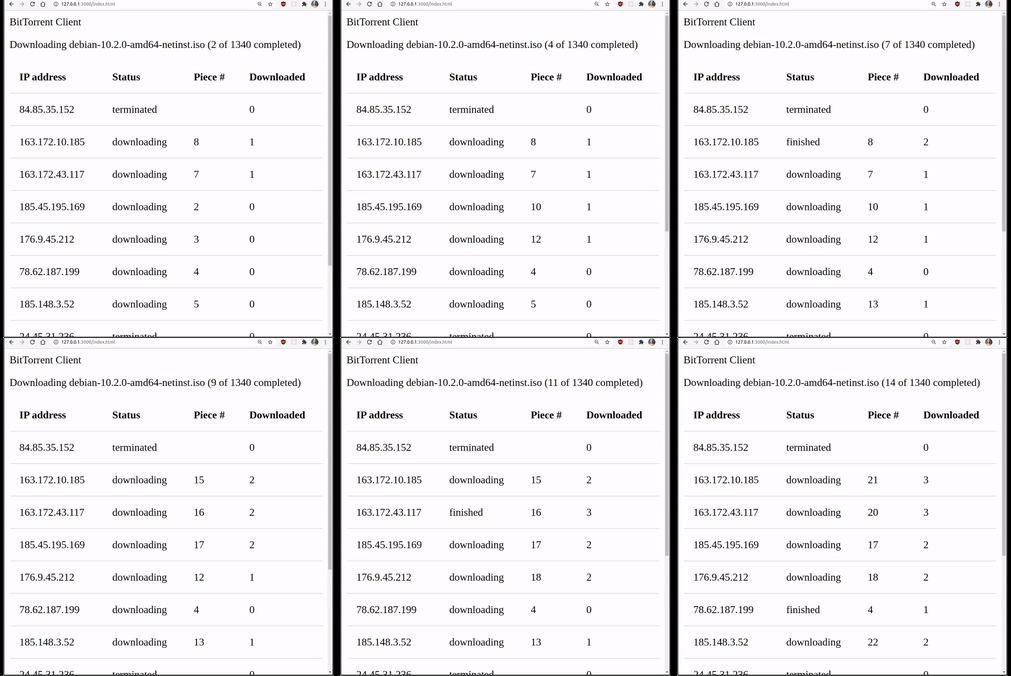
CRYSTAL_WORKERS=8  ./torrent_client ./spec/testdata/debian.iso.torrent -m ncurses
# sample output
Downloading debian-10.2.0-amd64-netinst.iso: 8 pieces of 1340 completed (9 peers)
┌────────────────┬─────────────┬───────┬────────────┐
│ Peer           │ Status      │ Piece │ Downloaded │
├────────────────┼─────────────┼───────┼────────────┤
│ 163.172.10.185 │ downloading │ 15    │ 2          │
│ 163.172.43.117 │ finished    │ 7     │ 2          │
│ 185.45.195.169 │ downloading │ 10    │ 1          │
│ 176.9.45.212   │ downloading │ 12    │ 1          │
│ 78.62.187.199  │ downloading │ 4     │ 0          │
│ 185.148.3.52   │ downloading │ 13    │ 1          │
│ 84.2.20.22     │ downloading │ 14    │ 1          │
│ 91.239.69.64   │ downloading │ 9     │ 0          │
│ 203.220.135.51 │ downloading │ 11    │ 0          │
└────────────────┴─────────────┴───────┴────────────┘
Prometheus integration
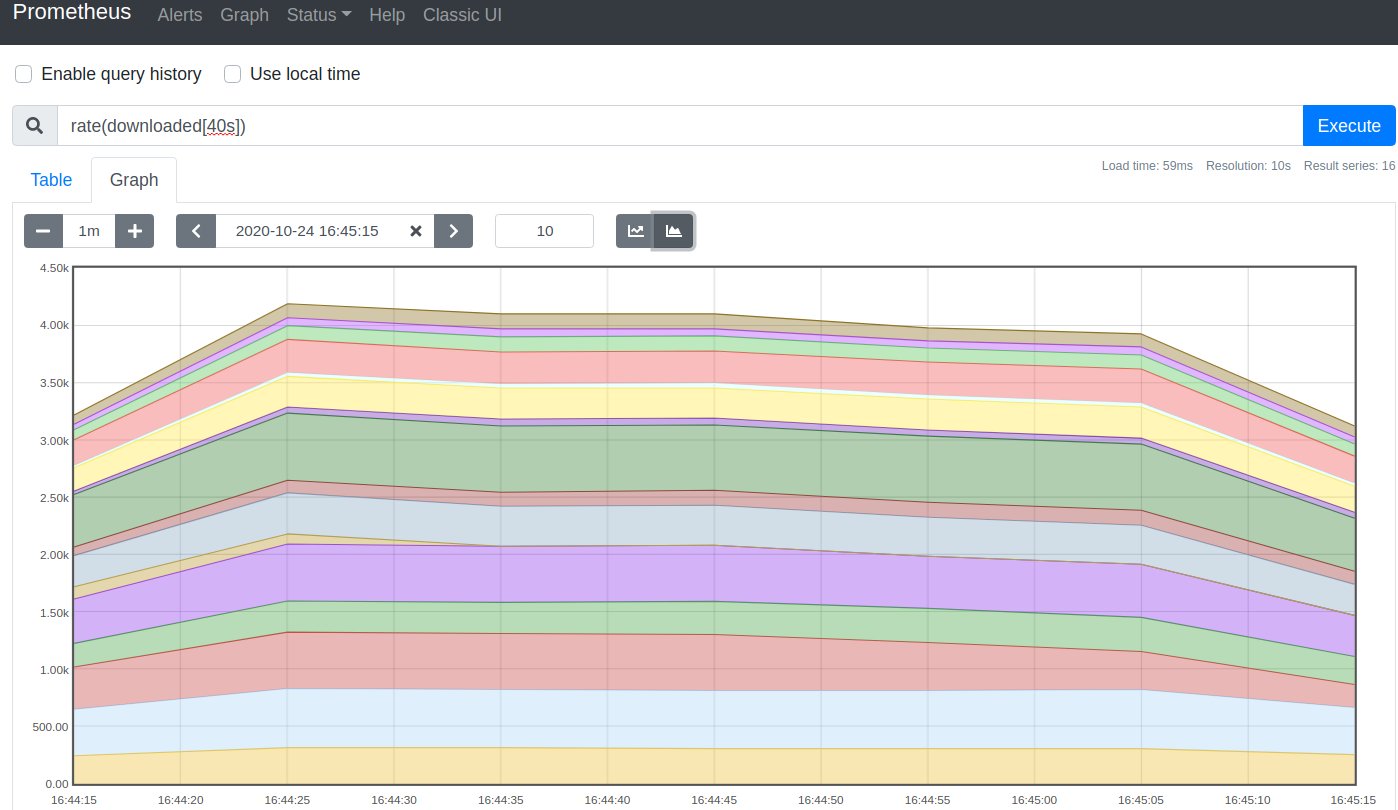 The application exposes prometheus metrics at
 localhost:5000/metrics. See the crometheus documentation for further information.
Development
Replaying
To make local testing of UI and metrics collection simpler, you can start by downloading a file, e.g.
crystal src/torrent_client.cr ./spec/testdata/debian-10.2.0-amd64-netinst.iso.torrentand then replay the download on the following runs.
crystal src/torrent_client.cr --replayA replay does not initiate any connection to peers, but simply replays the events stored in history.log - you'll see this file popping up in the project root folder after the first download.
Running the specs
crystal specsContributing
- Fork it (https://github.com/lbarasti/torrent_client/fork)
- Create your feature branch (
git checkout -b my-new-feature) - Commit your changes (
git commit -am 'Add some feature') - Push to the branch (
git push origin my-new-feature) - Create a new Pull Request
Contributors
- lbarasti - creator and maintainer