README







Installation
Precompiled executables are available for Linux, macOS and Windows from Releases page.
Installation (via Snap Store)

Snap-specific information
Due to the snap's confined nature, the application can only access files in the user's home directory.
To access files under /media or /mnt directories you have to manually connect the snap
to the removable-media interface by running the following command in a terminal
sudo snap connect zipstream:removable-media
Installation (via Homebrew)
You can install zipstream using Homebrew:
brew install mamantoha/zipstream/zipstreamIf you haven’t tapped the formula yet:
brew tap mamantoha/zipstream
brew install zipstream
To upgrade:
brew upgrade zipstreamTo uninstall:
brew uninstall zipstreamBuild from source
Clone the repository:
git clone https://github.com/mamantoha/zipstream.git
Switch to repo-directory
cd zipstream
Build:
shards build
Copy ./bin/zipstream to executable path.
Enjoy!
Usage
Help message:
NAME
    zipstream - is a command line tool that allows you to easily share files and directories over the network

VERSION
    0.25.4

SYNOPSIS
    zipstream PATH [options]

If PATH is not specified it point to current directory

OPTIONS
    -h, --help                       give this help list
    -l, --log                        logging of requests/responses
    -w, --web                        run WEB Server with the directory listing
    -H HOST, --host=HOST             the host (default: `0.0.0.0`)
    -p PORT, --port=PORT             the port (default: `8090`)
    -f FORMAT, --format=FORMAT       the format of output archive, zip, tar or tgz. Only for CLI mode. (default: `zip`)
    -o FILENAME, --output=FILENAME   the output file name without extension. Only for CLI mode. (default: `download`)
    -e PATH, --endpoint=PATH         the URL path to the resource. Only for CLI mode. (default: ``)
    -j, --junk-parent                stream the content of an archive without including the parent directory
    -h, --hidden                     match hidden files and folders
    --no-symlinks                    do not follow symlinks
    --user=user                      the username user for file retrieval
    --password=password              the password password for file retrieval
    --no-banner                      hide the ASCII art banner
    --qr                             print QR-Code to access shared resource
    -V, --version                    print program version
Sharing a directory as tar archive:
$ zipstream -H 192.168.31.180 -f tar /Users --user=admin --password=passwd -o users -e dl --qr
     _           _
    (_)         | |
 _____ _ __  ___| |_ _ __ ___  __ _ _ __ ___
|_  / | '_ \/ __| __| '__/ _ \/ _` | '_ ` _ \
 / /| | |_) \__ \ |_| | |  __/ (_| | | | | | |
/___|_| .__/|___/\__|_|  \___|\__,_|_| |_| |_|
      | |
      |_|

Serving `/Users` as `users.tar`

To download the file please use one of the commands below:

wget --content-disposition --user admin --password passwd http://192.168.31.180:8090/dl
curl -OJ --user admin:passwd http://192.168.31.180:8090/dl

Or place all files into current folder:

wget -O- --user admin --password passwd http://192.168.31.180:8090/dl | tar -xvf -
curl --user admin:passwd http://192.168.31.180:8090/dl | tar -xvf -

Or just open in your browser: `http://admin:passwd@192.168.31.180:8090/dl`
Or scan the QR code to access to download the file on your phone
▄▄▄▄▄▄▄▄▄▄▄▄▄▄▄▄▄▄▄▄▄▄▄▄▄▄▄▄▄▄▄▄▄▄▄▄▄▄▄
█ ▄▄▄▄▄ █▄ ▄ ▄ ▄▄▀█▄▀▀ █ ▄ ▄█▀█ ▄▄▄▄▄ █
█ █   █ █▄▀▄ ▄▀█ ▀▀▀▀▄█▄▄▄▀ █ █ █   █ █
█ █▄▄▄█ █▄▀▀▀  █▄▄█▀▀█ ▀▀▄█ █ █ █▄▄▄█ █
█▄▄▄▄▄▄▄█ ▀ █ █▄▀▄▀▄█ █▄▀ █▄▀ █▄▄▄▄▄▄▄█
█▀█▀██▄▄█▀▀▀ ▄█ █▀▄▄▄ ▀█▄▄▄ ▀█▀▄█ █ ▀▄█
███▀▀█▀▄█▀ ▀▄▀▄█▄█  ▄▄▄▀▄ █▀  █ ██▄█▀ █
███▀▀█ ▄█▄ █ ▀ █ ██ ▀▄ ▄ ▄██▀█ ▄███▀▄██
█▀▄ ▄▄▄▄▄▄▀ ▄█   ▄▄ █▄ █▀██  █▀ ▄▀ ▀  █
█ ▄▀█ ▀▄ ▄█▀ ▀███▀▄▀█████▄█▄▀  ▄▀▄▀ ███
█ █ █ ▄▄▀███ ███▄ ▀▀  █ █▄▄  ██▄▄▄▄██▄█
█▀▀ █▄▀▄ █▄   ▀▀ ██▀▀▀ ▀▀█ ▀ ▀▀▄  █ ▀██
█▄▀▄ ▄▀▄▀ ▄▀████▀ ▄ ▀▀▄▀  █▄  ▀▀▀█▄▄█ █
█▀▀▄▀▀▄▄▀ ██▄▄▄▀  ▀▄█▀▄█▄▀▄▄▀▄ ▄██▄▀ ██
█ █▀ ▄▄▄▀▄ ▄▀ ▄█ ███ ██ █▀█ ▄▀████▄ ▀ █
█▄██▄▄█▄▄ ▀█ █▄█ ▀██▄██ ▀▀▄▄▄ ▄▄▄ ▀▄█▄█
█ ▄▄▄▄▄ █▀▄▀▄ ▄█▄▀   ▄▀▄▄▀▄▄█ █▄█  ▄▀ █
█ █   █ ███▄▀▄▀▄▄█▀█▄▄▀██▄ █▄ ▄  ▄█▄▄██
█ █▄▄▄█ ██▄█▀  ▀▄ █▀ ▄▀█ ▄▄▄  █▀█▀ ▄█ █
█▄▄▄▄▄▄▄██▄▄███▄▄█▄█▄█▄▄███▄█▄███████▄█
Run an ad hoc http static server in specified directory, available at http://localhost:8090:
zipstream /media/disk/crystal --web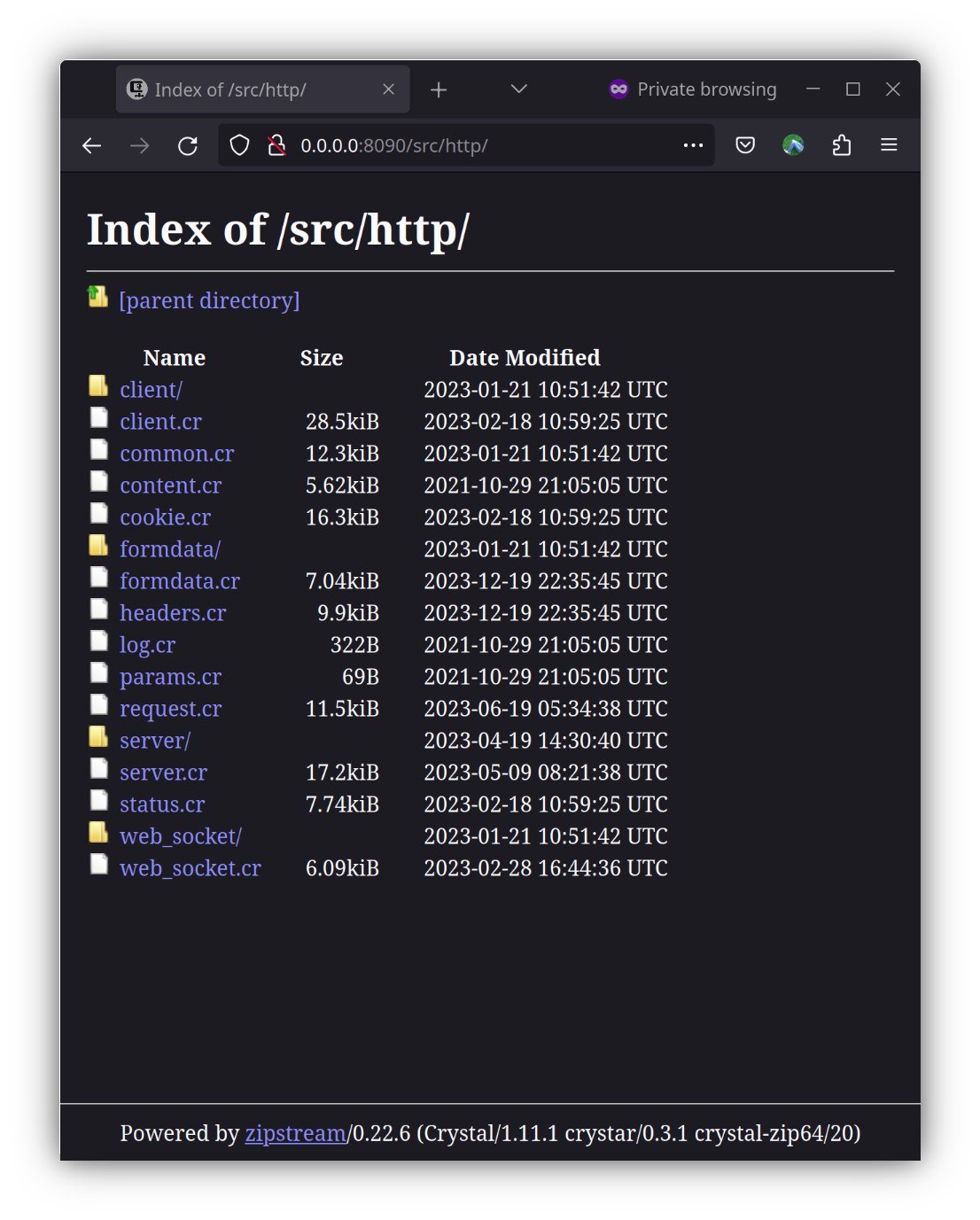
Contributing
- Fork it (https://github.com/mamantoha/zipstream/fork)
- Create your feature branch (
git checkout -b my-new-feature) - Commit your changes (
git commit -am 'Add some feature') - Push to the branch (
git push origin my-new-feature) - Create a new Pull Request
Contributors
- Anton Maminov - creator and maintainer