README
This README is the one indexed from the repository at its latest ref, not from the tag for this version.
stumpy_core
Usage
This library is not very useful on its own but there are a few other libraries that allow creating a canvas from an image file or saving one to an image file.
require "stumpy_core"

include StumpyCore

rainbow = Canvas.new(256, 256)
(0...255).each do |x|
  (0...255).each do |y|
    # RGBA.from_rgb_n(values, bit_depth) is an internal helper method
    # that creates an RGBA object from a rgb triplet with a given bit depth
    color = RGBA.from_rgb_n(x, y, 255, 8)
    rainbow[x, y] = color
  end
end

# It is also possible to provide a background color,
# the default is transparent black `RGBA.new(0, 0, 0, 0)`
white = Canvas.new(256, 256, RGBA.from_hex("#ffffff"))

# If the colors for all pixels are already known when creating the canvas,
# the block syntax can be used to simplify the code:

rainbow2 = Canvas.new(256, 256) { |x, y| RGBA.from_rgb_n(x, y, 255, 8) }

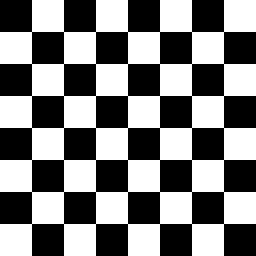
checkerboard = Canvas.new(256, 256) do |x, y|
  if ((x / 32) + (y / 32)).odd?
    RGBA.from_hex("#ffffff")
  else
    RGBA.from_hex("#000000")
  end
end

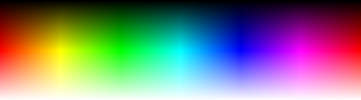
spectrum  = Canvas.new(361, 101) { |x, y| RGBA.from_hsl(x, 100, y) }
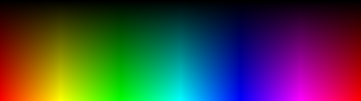
spectrum2 = Canvas.new(361, 101) { |x, y| RGBA.from_hsba([x, 100, y], 1) }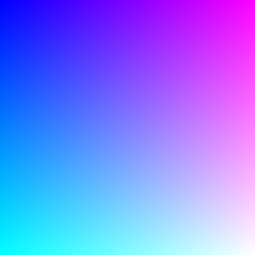
Contributors
Thanks goes to these wonderful people (emoji key):
| Leon💻 | Ian Rash💻 | Sam💻 | reiswindy📖 |
|---|---|---|---|
This project follows the all-contributors specification. Contributions of any kind welcome!